Case study
Car Sale Management System — Desktop App UI Design
A simple back-office app for a car showroom to add stock, find cars and record sales
UI/UX Design · By Sajith Kavishan

About Project
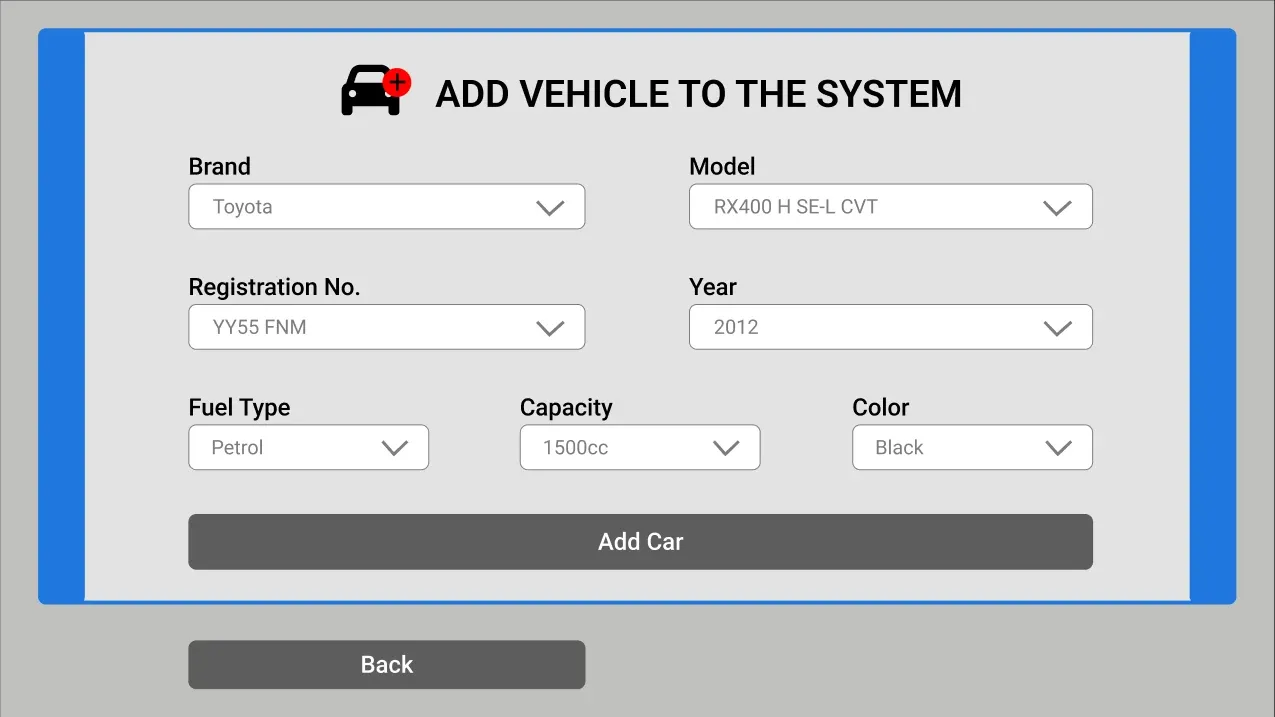
A desktop management system for a car showroom, designed in Figma. Staff start from a single screen with three clear actions (add a car, search stock or view everything) and every task stays one step away. Forms use large labelled dropdowns for brand, model, registration, year, fuel type, engine capacity and colour, so vehicle records stay consistent, and each screen keeps a Back button in the same place.
Fonts & Colors
Roboto
Aa
Main
Secondary
Accent
Other
Add a Vehicle
A focused form framed in the accent blue. Every vehicle attribute is picked from a dropdown instead of typed, which keeps stock data clean and quick to enter.
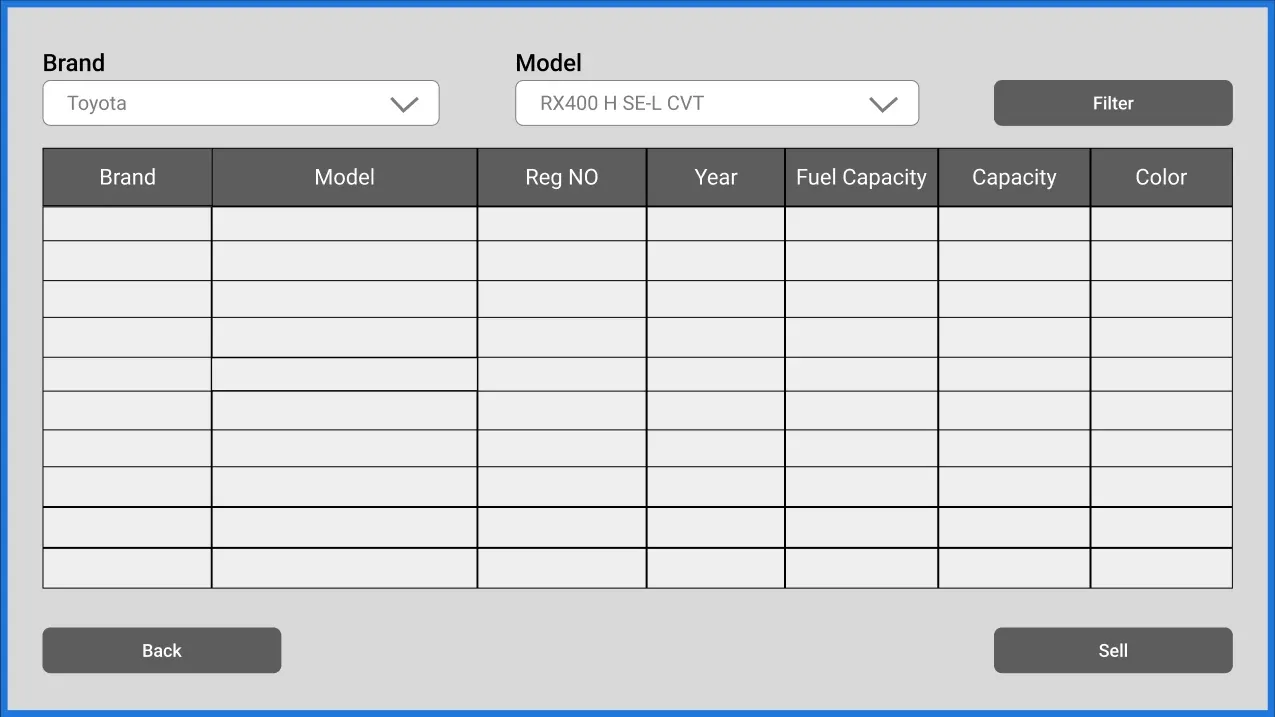
Search & Sell
Filter the stock by brand and model, pick a car from the results table and move straight to selling it.
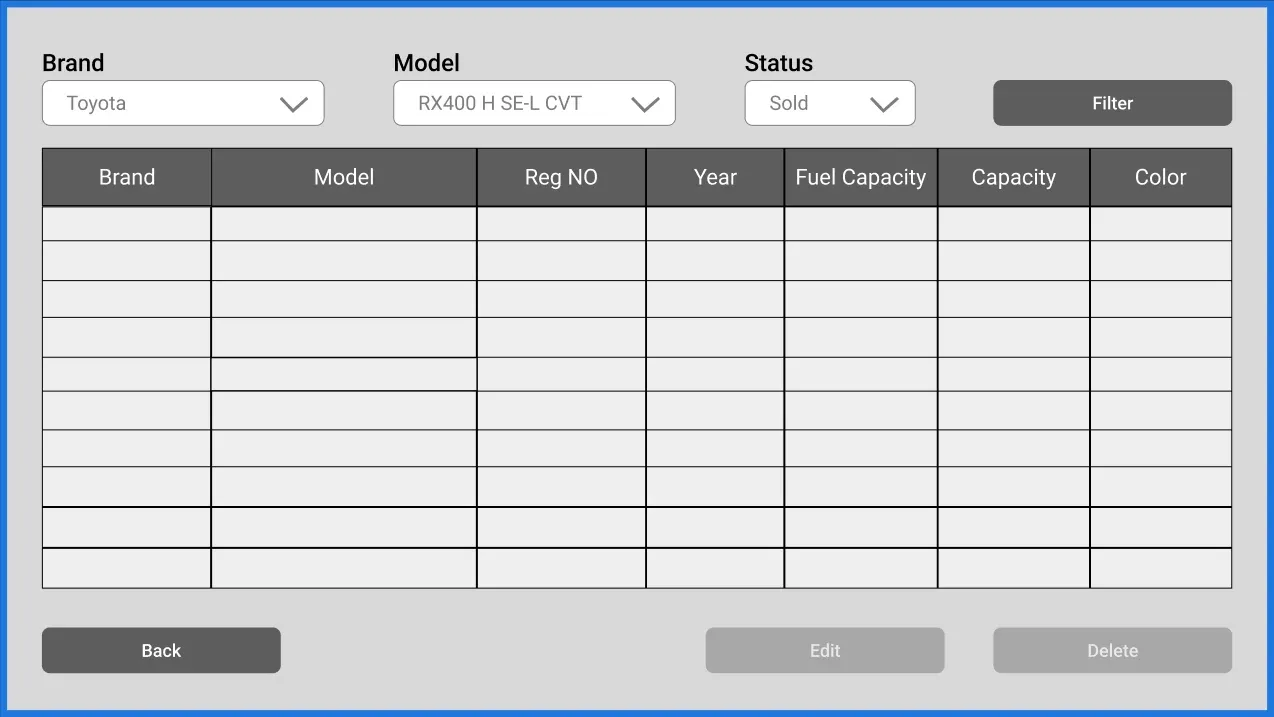
Show All Cars
The full inventory adds a status filter for sold or available cars. Edit and Delete stay greyed out until a row is selected, so records are never changed by accident.
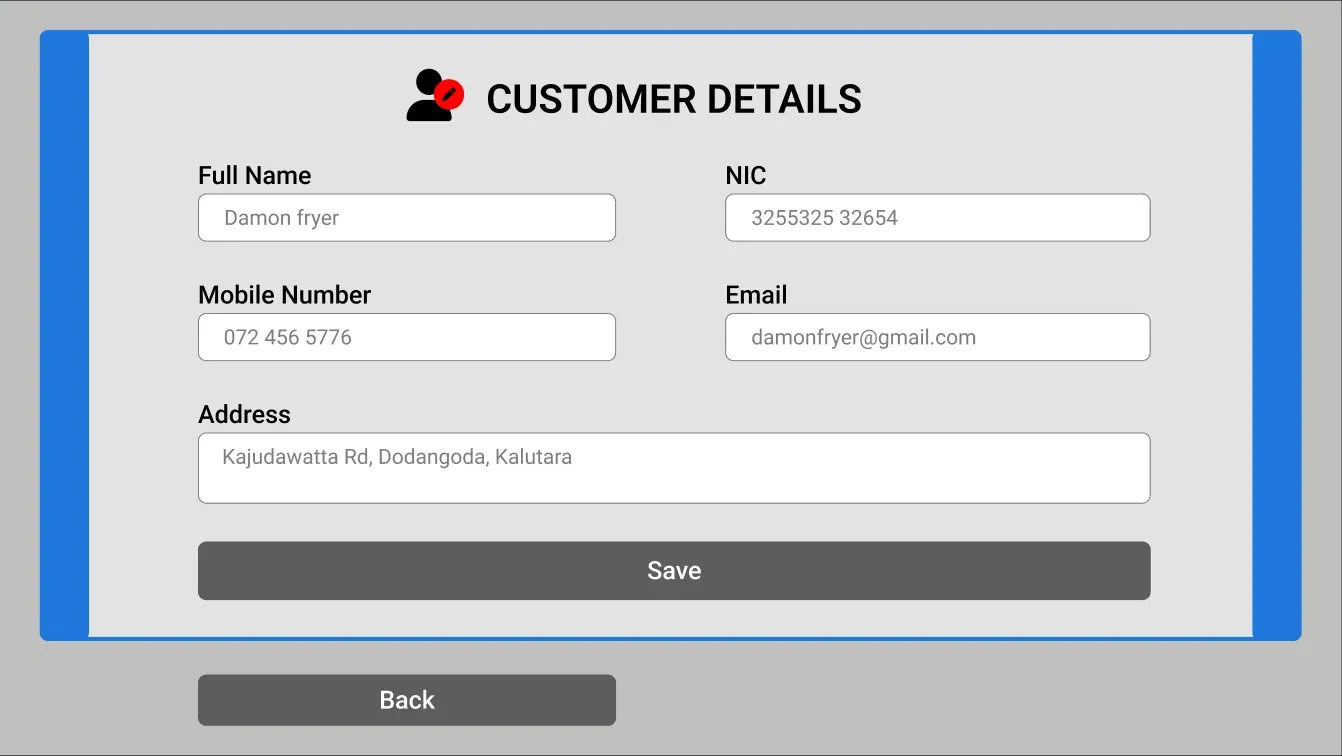
Customer Details
Completing a sale captures the buyer's name, NIC, mobile number, email and address on one short form.
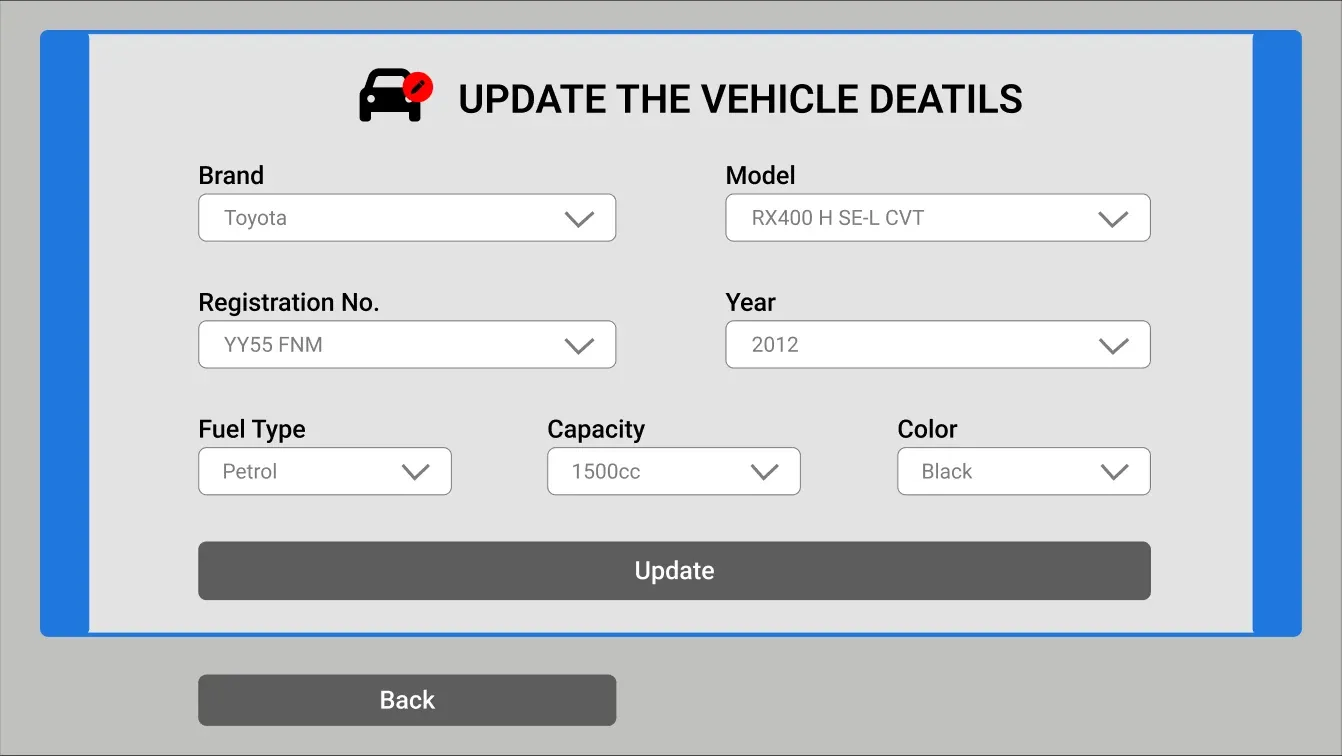
Update Vehicle Details
Editing reuses the add form layout with the current values pre-filled, so staff already know where everything is.
Thanks for watching!
UI/UX Design · By Sajith Kavishan
Start a project like this