Case study
Task Tracker — Windows & Android App
A task and time tracker I designed, built and released for PC and phone
Solo Designer & Developer · By Sajith Kavishan
Download for Windows & Android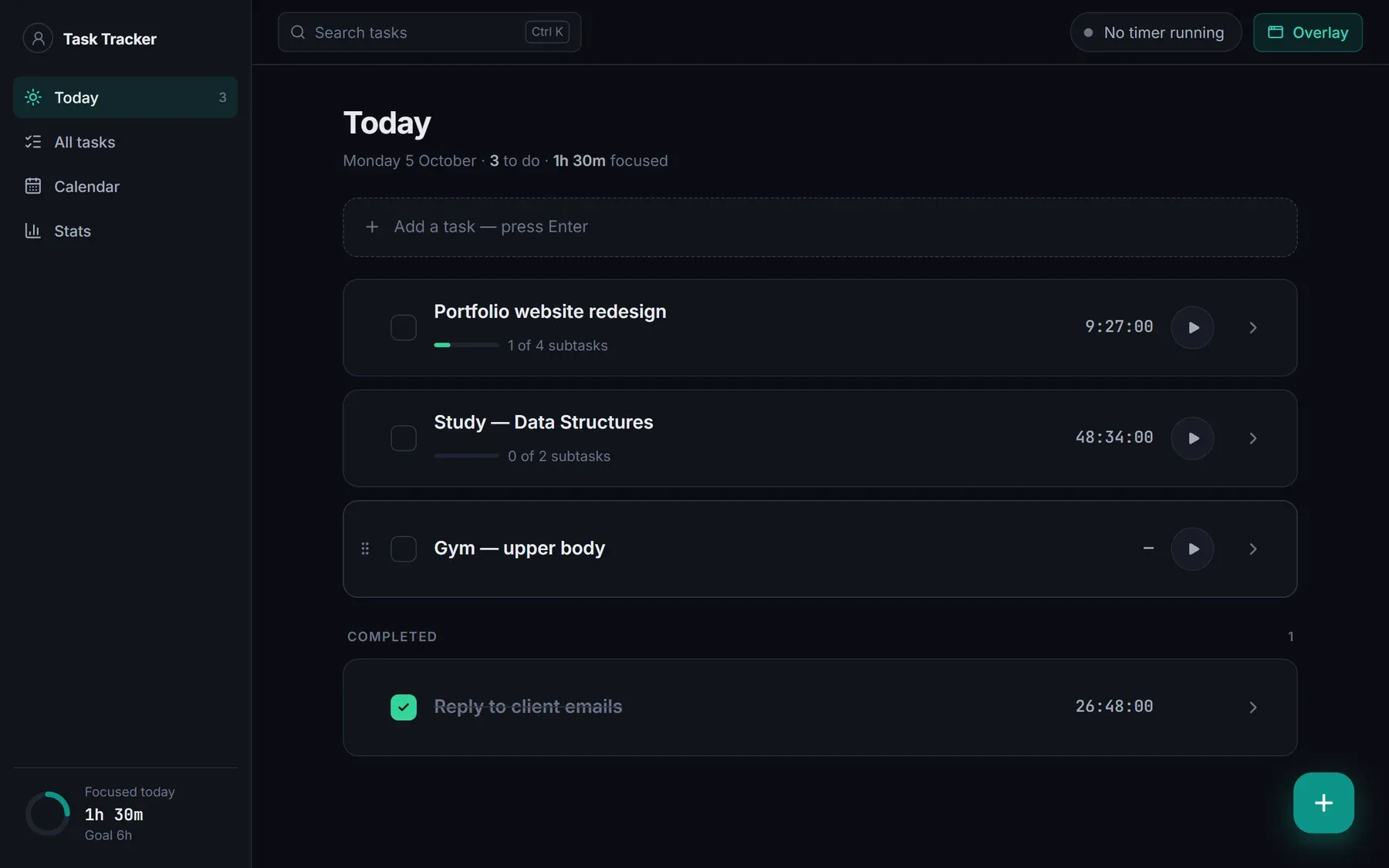
About Project
Task Tracker is a task and time tracker for Windows and Android. I designed and built it on my own, from the first prototype to signed releases, and it is released as v1.2.0 and used daily. It keeps tasks, subtasks and timers in one place, so I can plan my day and see how long things really take.
Tauri 2 · React · TypeScript · Tailwind CSS · SQLite · Supabase · Kotlin · Rust
Fonts & Colors
Inter
Aa
JetBrains Mono
Aa
Dark theme
Accent (teal)
Break
Light theme
Why I built it
I wanted one place to plan my day, break big tasks into subtasks and see how long I really spend on each. Existing tools were either plain to-do lists with no time tracking, or heavy time trackers that felt like timesheets. I also wanted the same data on my PC and phone without a subscription.
What it does
- Tasks and subtasks with notes, drag-to-reorder, reminders and a calendar view.
- One timer per task. A small always-on-top overlay on Windows, or a live notification on Android (also on the lock screen), shows the task name and running time with pause and done buttons.
- Break reminders with work and break rounds, long breaks and optional auto-pause.
- Stats for daily focus time against a goal.
- Sync between PC and phone through Google sign-in, offline use, daily backups, export and import.
- Both apps update themselves.
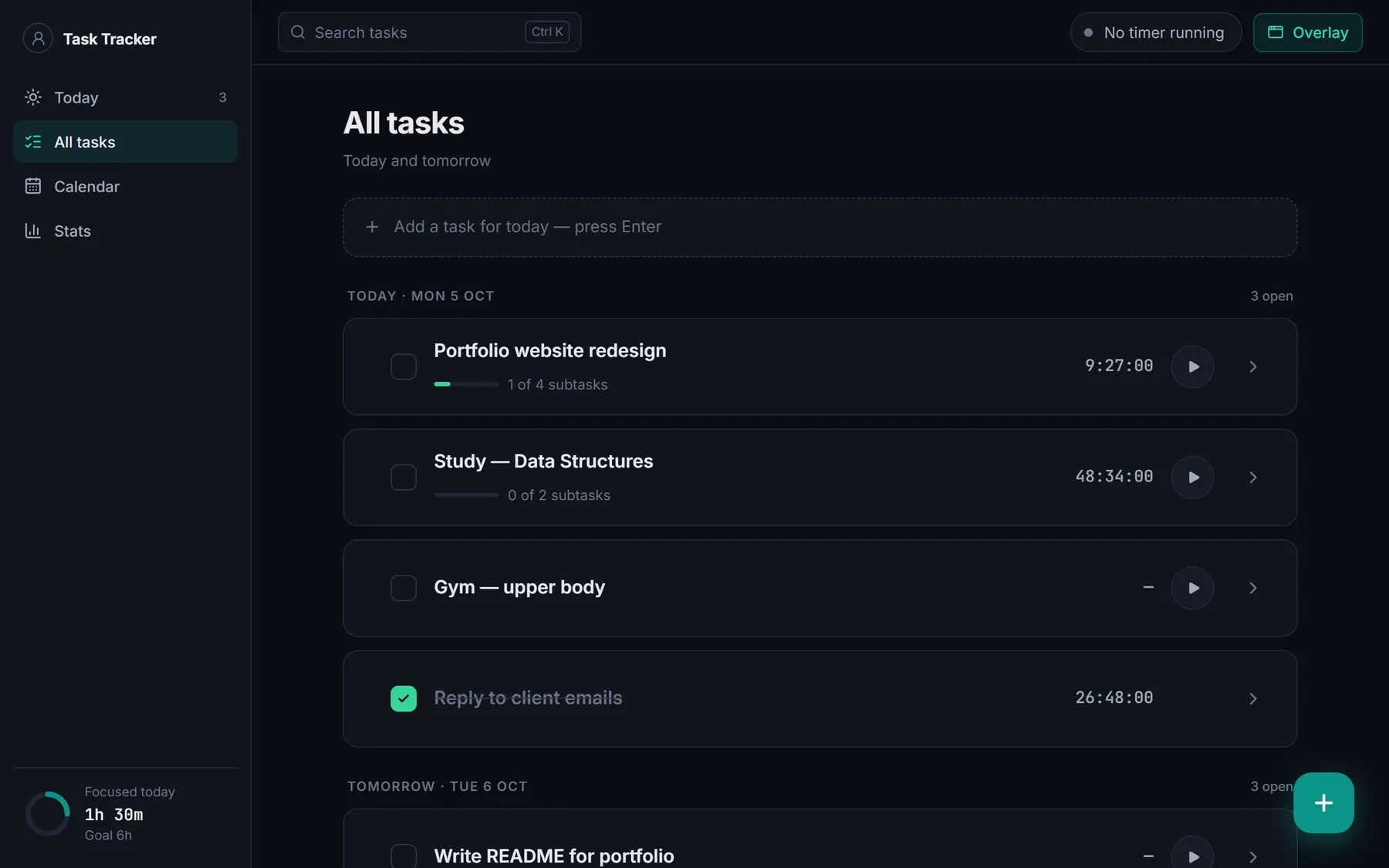
Calendar
Tasks sit on a calendar view, so planning the week and checking what is due happens in the same app as the timers.
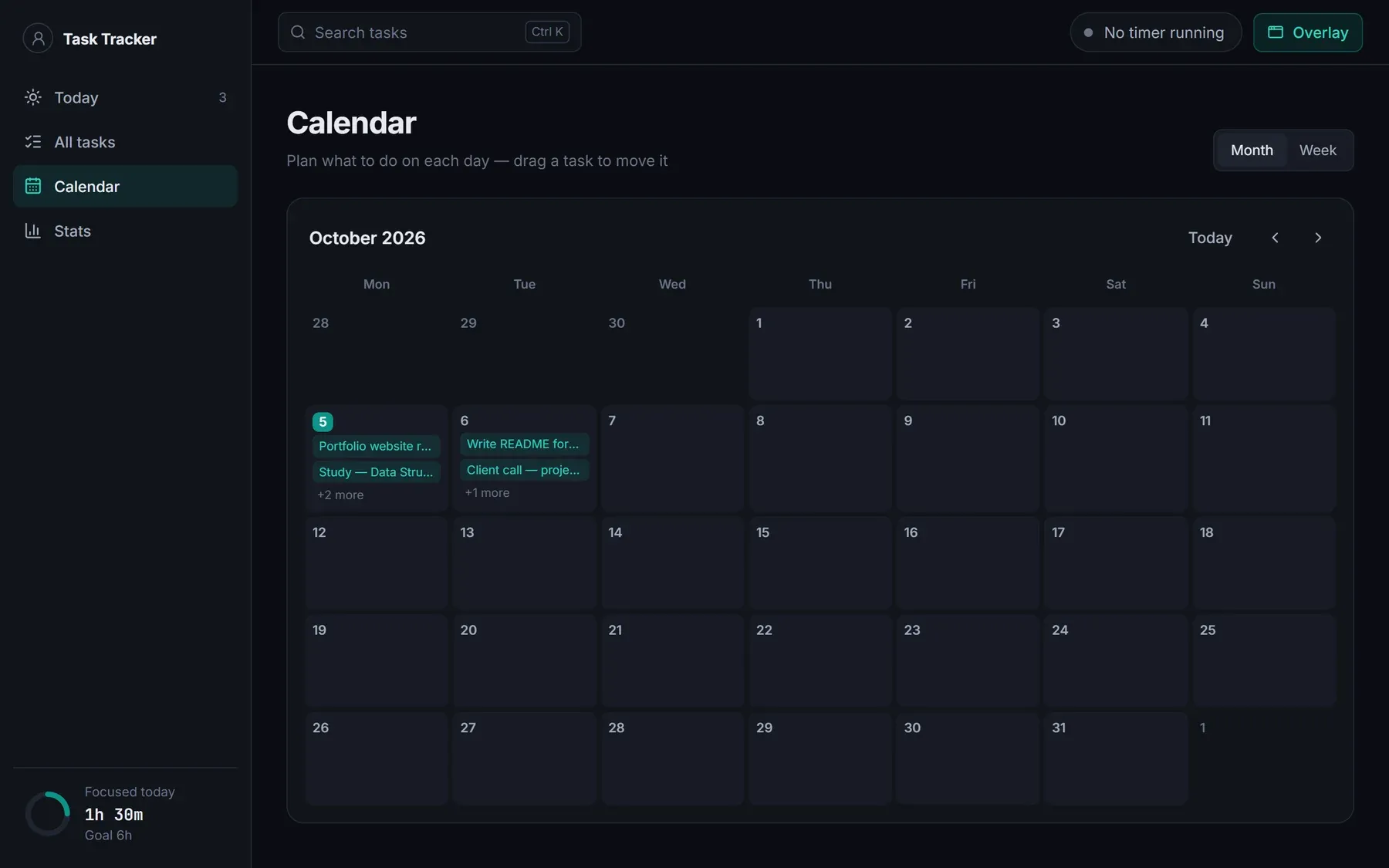
Stats against a goal
Stats show daily focus time against a goal, so the numbers answer the question I started with: where did the time actually go?
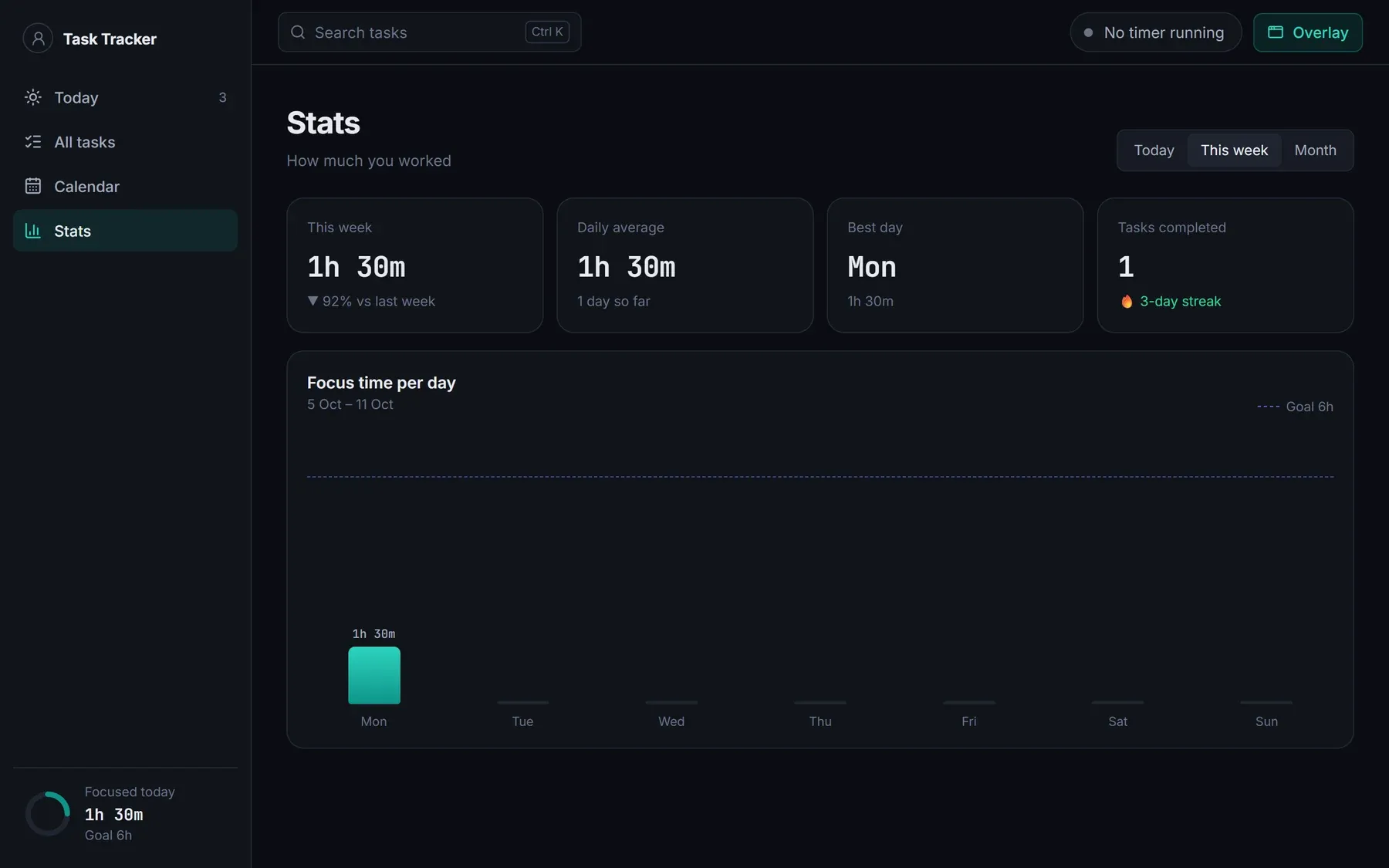
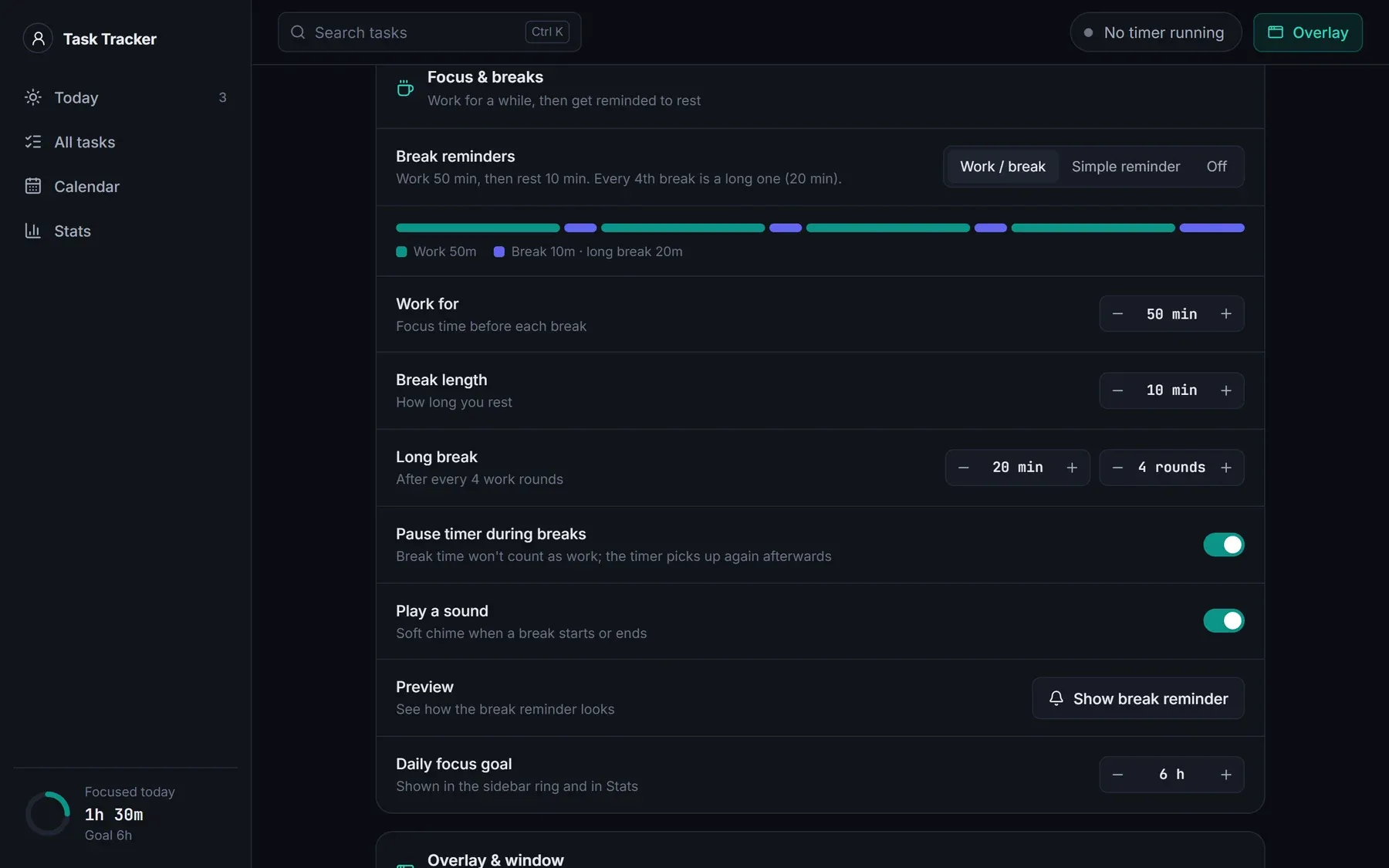
Break reminders
Work and break rounds, long breaks and optional auto-pause, so a break does not count as work. The reminder card offers to start the break, snooze or skip.
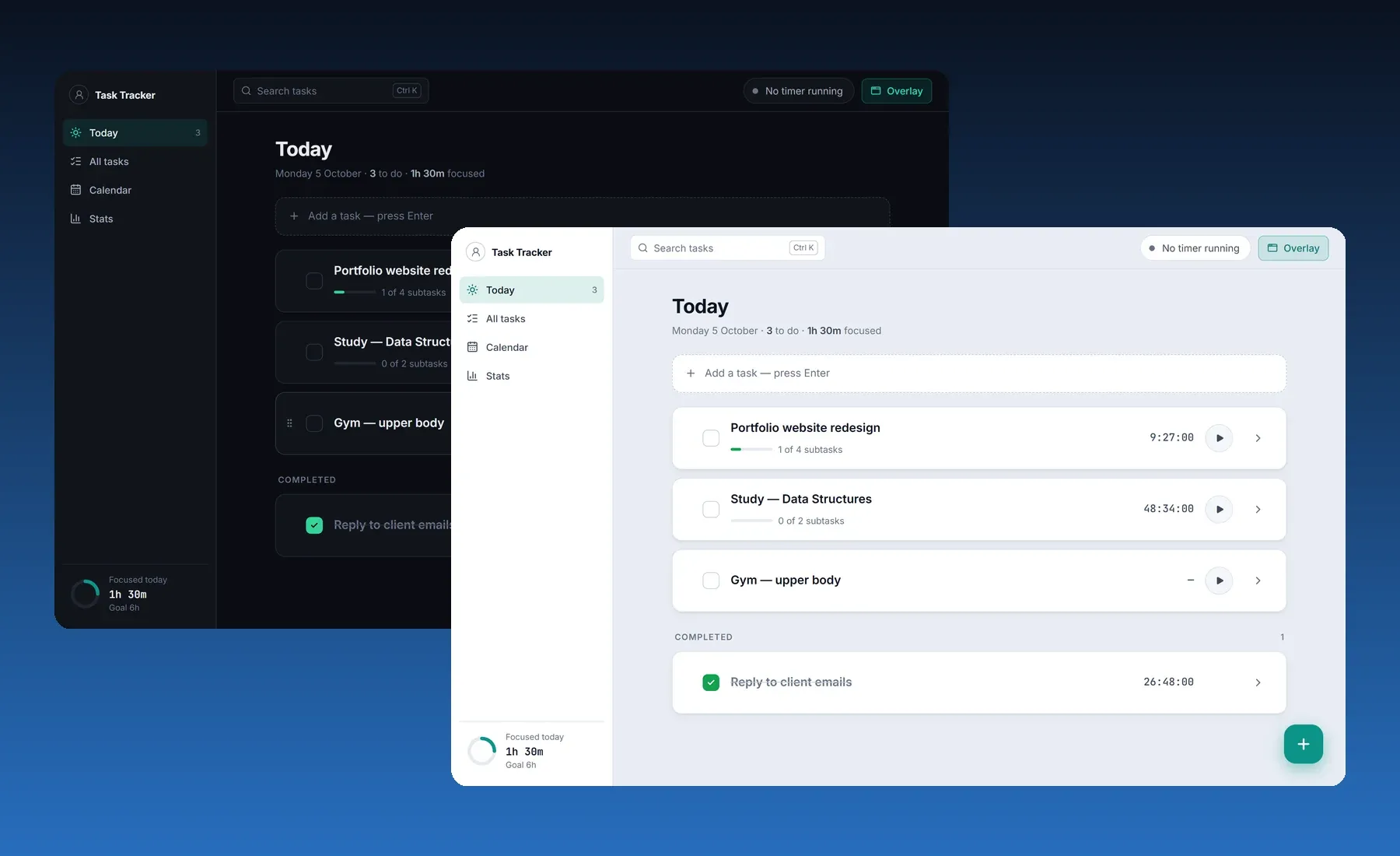
Dark first, then a better light theme
I designed dark first. The light theme was reworked later with a deeper background, soft card shadows and darker text, while the layout stayed the same.
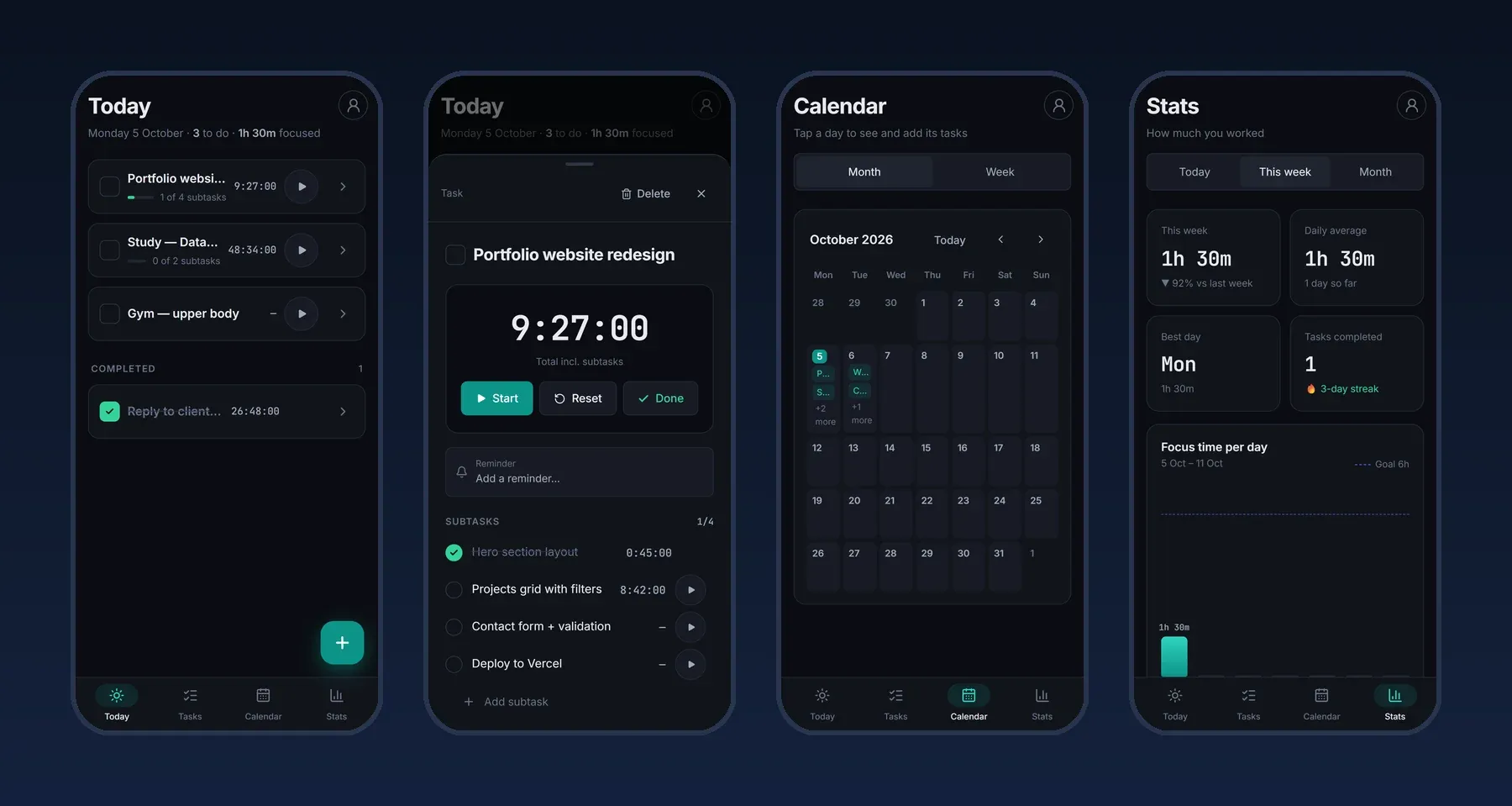
Designed for the phone, not shrunk
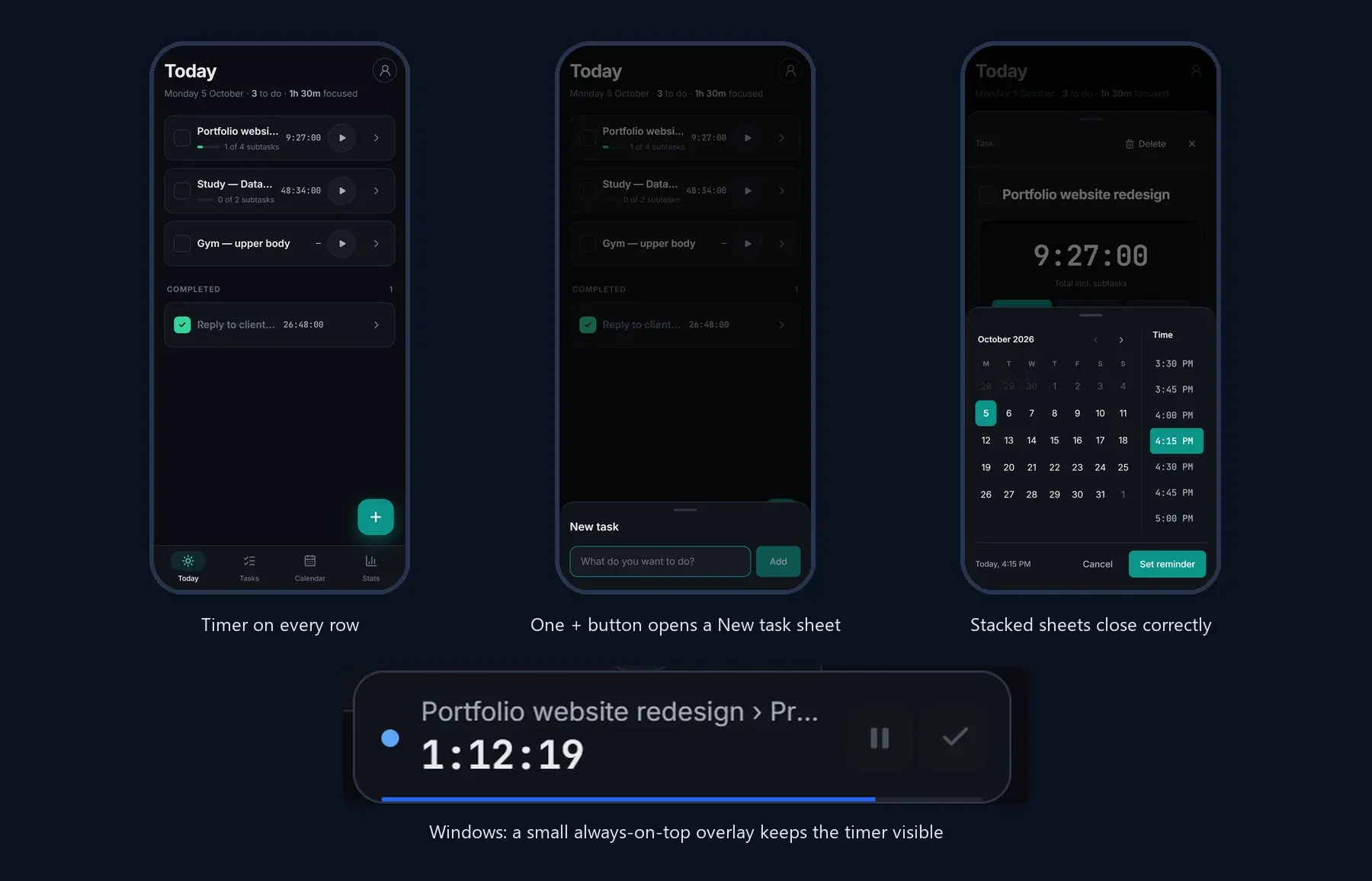
The phone UX is not a shrunken desktop. It has bottom tabs, a + button that opens a New task sheet, sheets that slide up and close with a swipe down, finger-sized buttons and no hover-only controls. I removed the clutter: no Add task cards on the phone, just one + button. I also tried a two-week calendar view and dropped it.
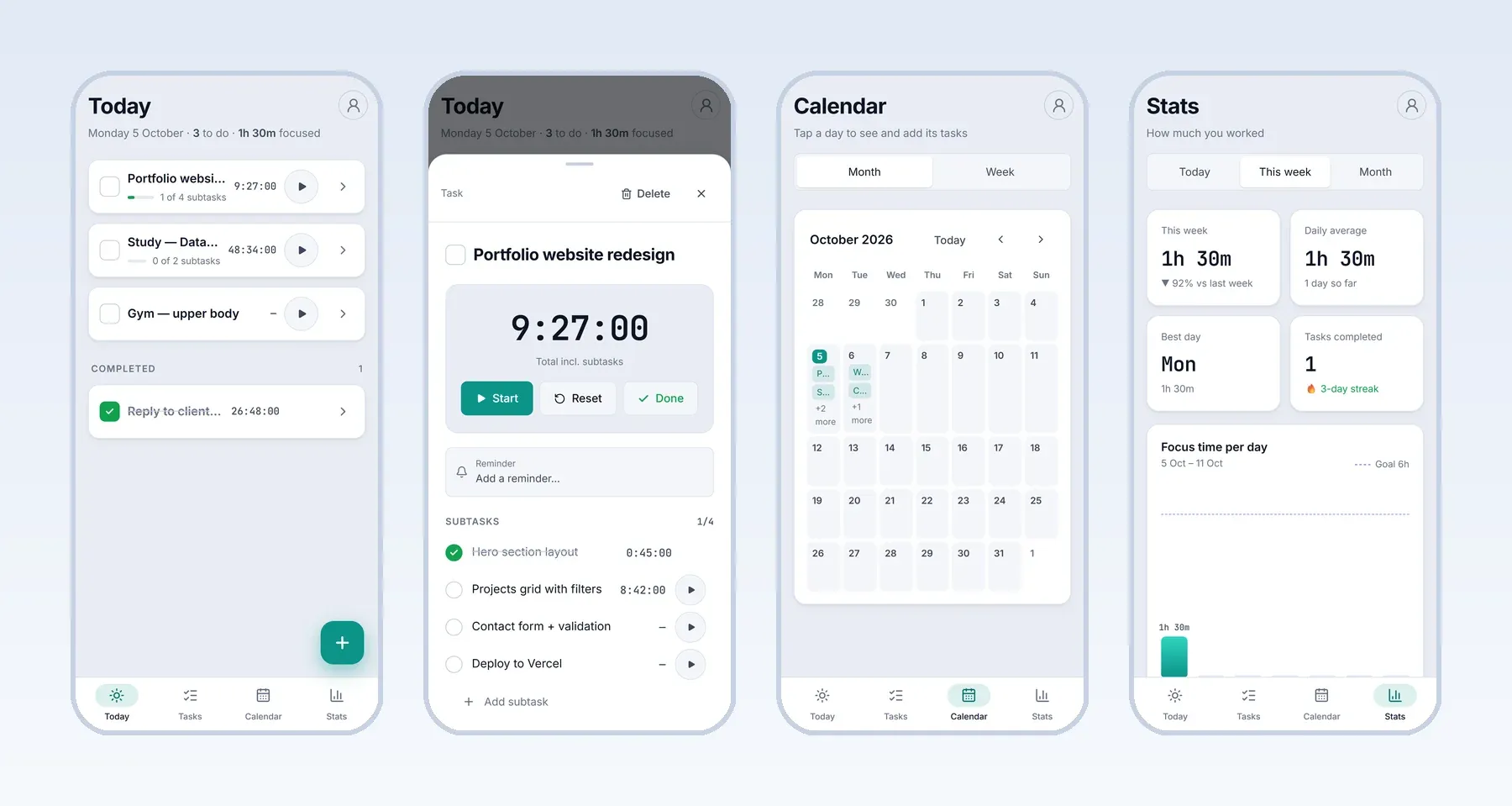
Light theme on Android
The phone app follows the same dark and light themes, with the same screens and the same large touch targets.
Process
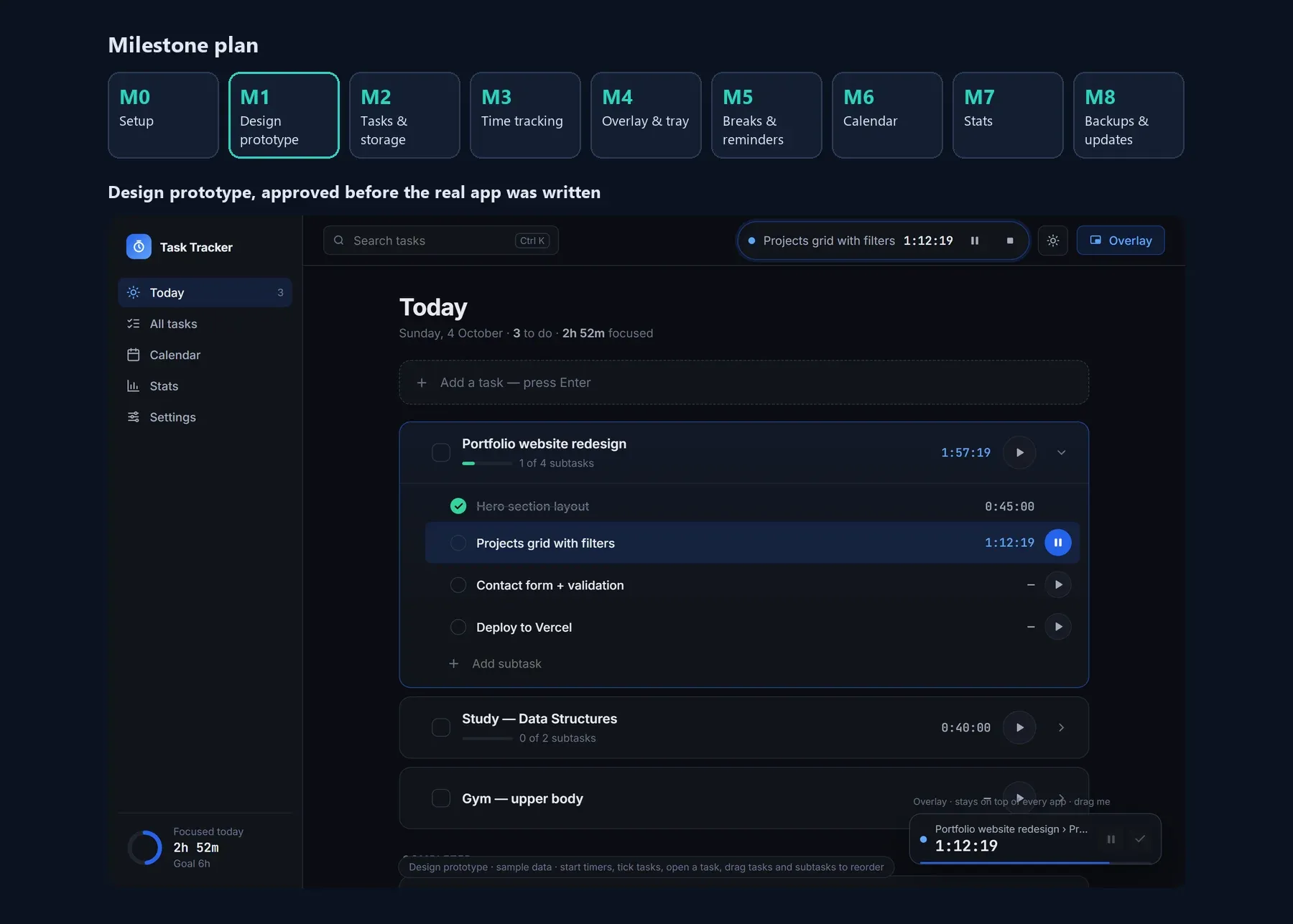
- Wrote a milestone plan (M0–M8) and built a clickable design prototype, then approved the design before writing the real app.
- Built in small batches, each tested on my own machine, with 42 automated unit tests covering timers, breaks, calendar, stats, backups and update checks.
- Local SQLite first. Cloud sync (Supabase free tier) was added later without changing how data is stored.
- Shipped like a real product: signed Windows installers with automatic updates, and a signed Android APK, both published through GitHub releases.
- Reused the same React code on Android with Tauri and added a separate phone layout instead of building a second app.
Design decisions
- Timer visible everywhere: the overlay on Windows, and a custom notification with a large live clock on Android.
- Smooth animations: windows and sheets animate in and out and subtasks expand, respecting the system reduce-motion setting.
- Touch-first details: larger tap areas, swipe gestures that do not fight scrolling, and stacked sheets (the reminder picker over a task sheet) that close correctly.
Technical challenges
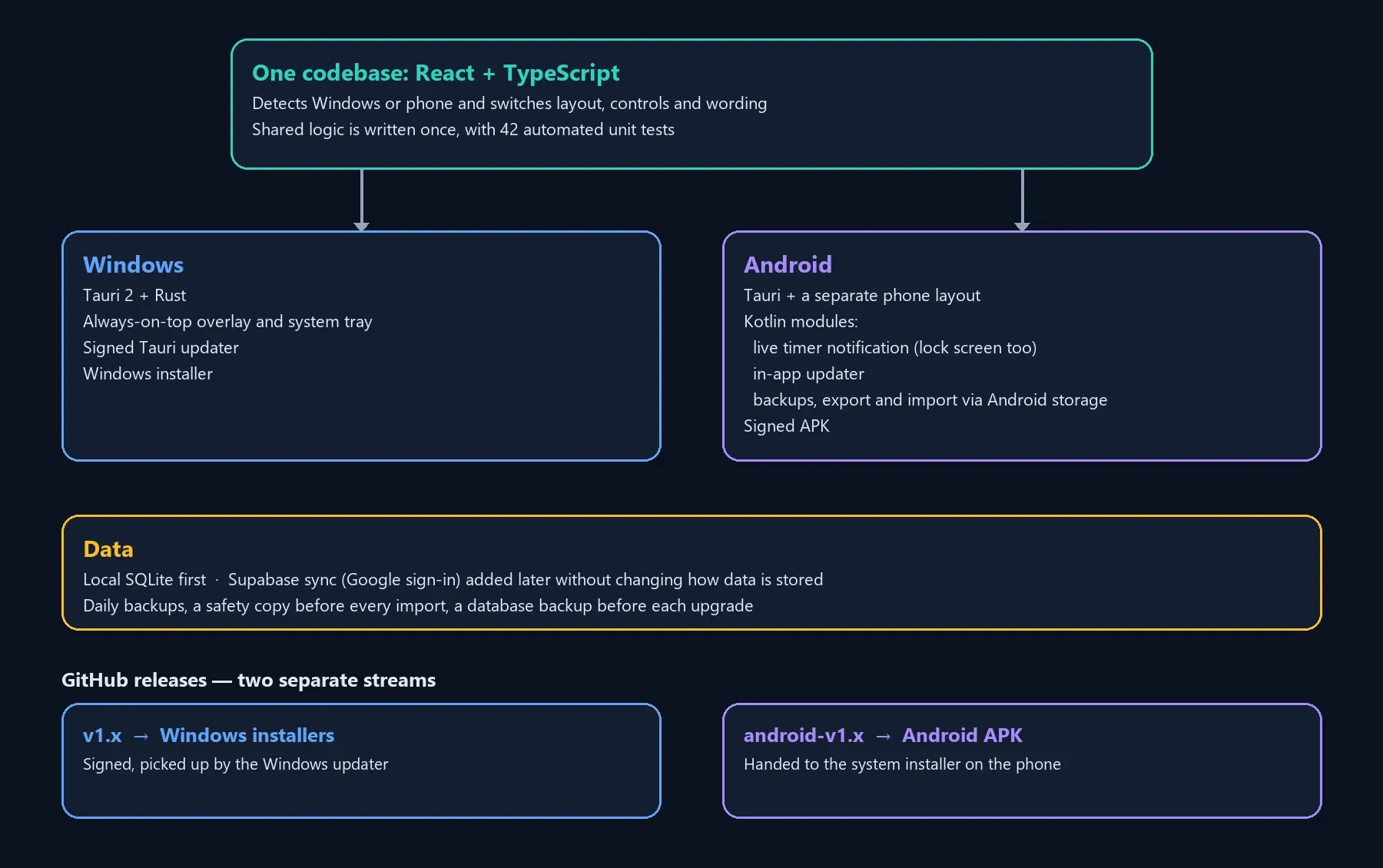
- One codebase for two very different platforms: the app detects Windows or phone and switches layout, controls and wording, while shared logic is written once.
- Native Android features from a web UI: small Kotlin modules for the live timer notification (custom layouts, system-driven clock, lock-screen visibility), the in-app updater, and backups plus export and import through Android’s storage and file picker.
- Safe auto-updates on two platforms: Windows uses Tauri’s signed updater, while Android downloads the new APK and hands it to the system installer. The two release streams are kept separate on GitHub so a phone release cannot be mistaken for a Windows update.
- Signing keys live outside the repository and are backed up separately, because losing them would block all future updates.
- Data safety: daily backups, a safety copy before every import and a database backup before each upgrade. On the phone, backups go to the Documents folder so they survive an uninstall.
Outcome
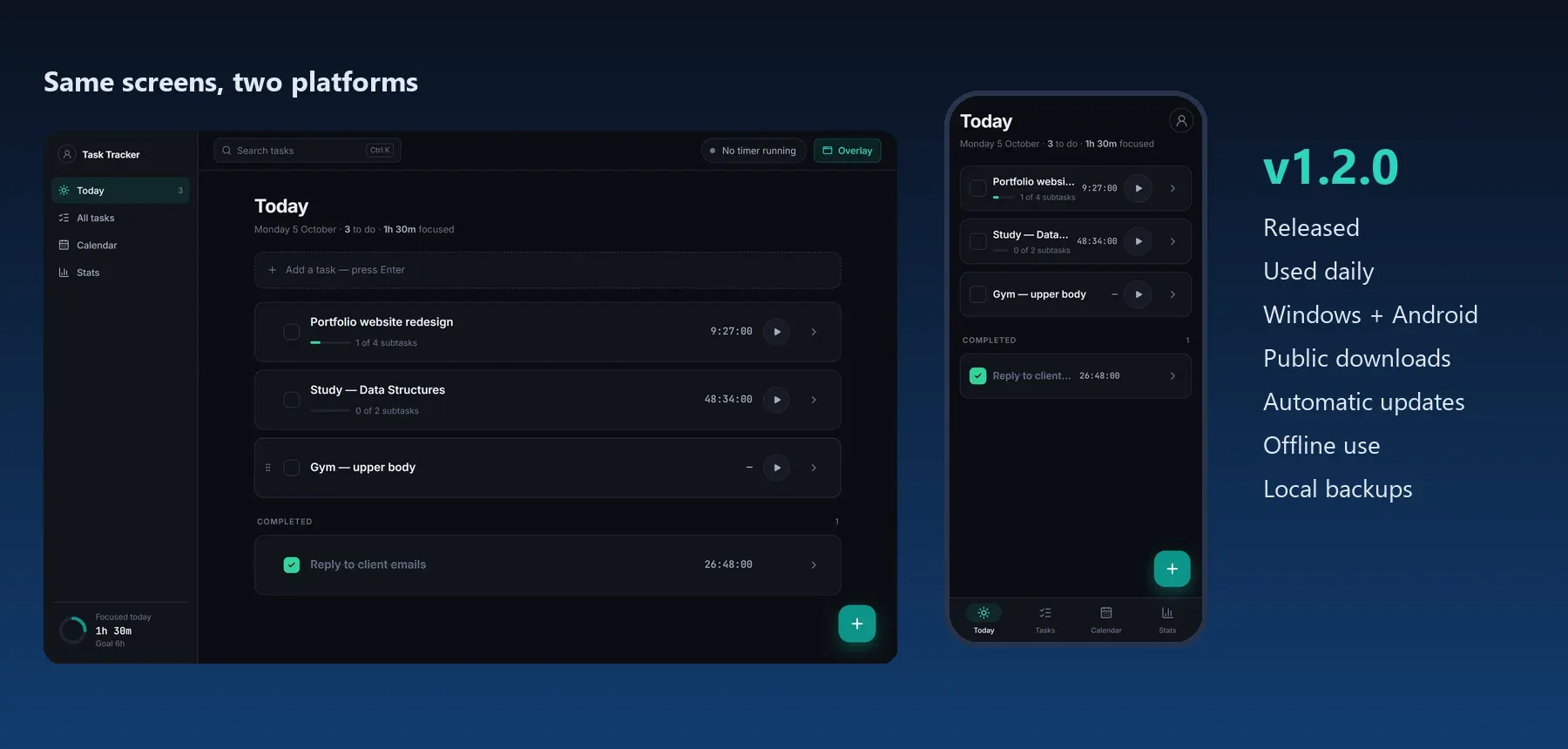
- A working product I use daily on PC and phone, released as v1.2.0 with public downloads and automatic updates.
- Tasks, time and settings stay in sync across devices, with offline use and local backups.
- A tested codebase that serves two platforms with one set of screens.
What I learned
- Design the real thing before building it. It saved rework.
- A phone version needs its own interaction design, not just a smaller layout.
- Releasing is part of the product: signing, updates, backups and clear version numbers took as much care as the features.
Thanks for watching!
Solo Designer & Developer · By Sajith Kavishan
Start a project like this